New OpenClaw Update Is Insane: Vision, Video, Kilo Gateway & the Future of Self-Hosted AI Agents
The latest update to OpenClaw is one of those rare releases that doesn’t just add features — it changes what’s possible.
Version 20.26.2.3 introduces vision, video, multi-model routing, major stability improvements, and serious security hardening — all in one release. For anyone running (or thinking about running) their own AI agents locally, this update is a turning point.
Let’s break down what’s new, why it matters, and why this could fundamentally change how people use AI going forward.
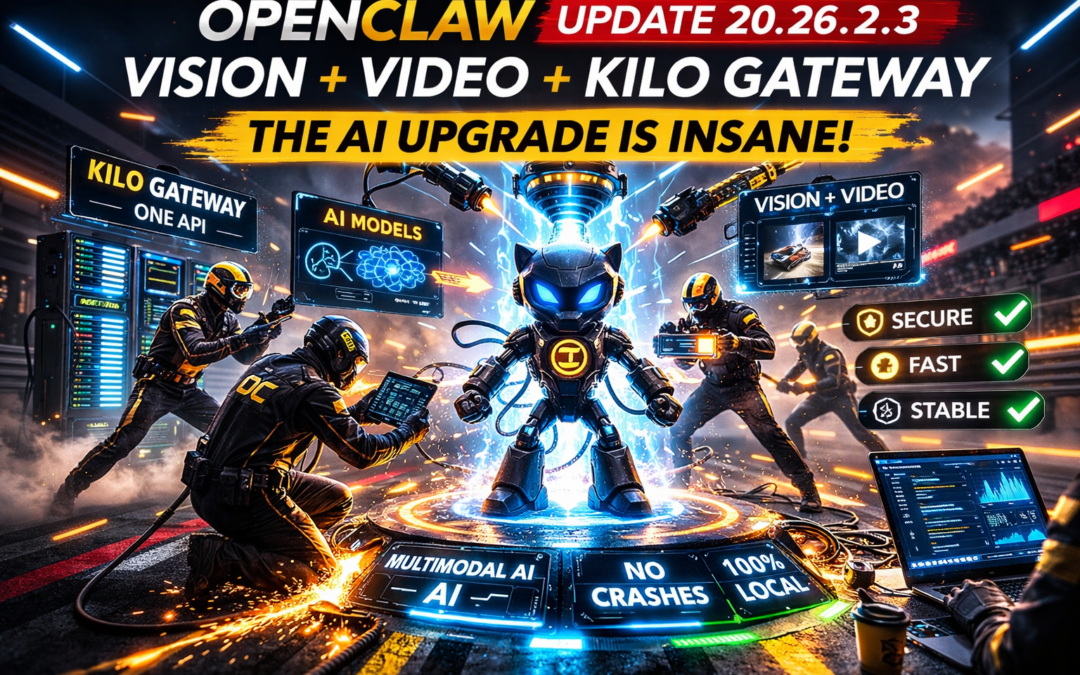
NEW OpenClaw Update is INSANE!
What Is OpenClaw (Quick Refresher)
OpenClaw is an open-source AI agent framework that lets you run AI agents on your own machine.
That means:
-
You own the agent
-
You control the workflows
-
You choose the models
-
You’re not locked into a platform
OpenClaw can:
-
Connect to WhatsApp, Discord, and other services
-
Run automated workflows
-
Execute scripts and commands
-
Operate fully self-hosted
It’s MIT licensed, free, and built for people who want real automation — not just demos.
1️⃣ Kilo Gateway: One API to Rule Them All
The biggest architectural change in this update is the Kilo Gateway.
What Changed
Before this release, using multiple AI models meant configuring each one separately — different endpoints, different setups, unnecessary friction.
Now:
-
One unified API endpoint
-
Seamless switching between models
-
Compatible with OpenAI-style SDKs (just swap the base URL)
Why This Matters
If you:
-
Compare models
-
Run fallback logic
-
Optimize cost vs performance
-
Experiment with different providers
This saves hours of setup time and removes a major barrier to multi-model AI systems.
This is infrastructure-level progress — not a cosmetic feature.
2️⃣ Vision + Video Support: Multimodal AI, Self-Hosted
This is the update that changes everything.
OpenClaw now supports vision and video models, meaning your local AI agent can:
-
Analyze images
-
Watch and summarize videos
-
Detect objects
-
Build workflows around visual input
Why This Is Huge
Multimodal AI has mostly lived behind expensive APIs and closed platforms.
Now you can:
-
Feed videos directly into your agent
-
Automate visual content processing
-
Build workflows around images and footage
All on your own machine.
That’s not incremental improvement — that’s a capability leap.
3️⃣ Compaction Overflow Recovery: Long Jobs Don’t Crash Anymore
This feature sounds boring. It’s not.
The Problem
Long workflows — especially those involving:
-
Large chats
-
Images
-
Video processing
Used to crash due to memory overflow.
The Fix
OpenClaw now recovers automatically when compaction overflows occur.
Why It Matters
This makes OpenClaw:
-
More stable
-
More reliable
-
Suitable for real workloads
This is the difference between “cool tool” and “production-ready system.”
4️⃣ Exec Hardening: Power Without Recklessness
OpenClaw can execute commands and scripts locally — which is powerful, but dangerous if done poorly.
This update:
-
Hardens the execution layer
-
Reduces risk of unintended command execution
-
Makes automation safer by default
If you care about security and stability, this is a major upgrade.
5️⃣ Secret Redaction: No More Leaked API Keys
Logs and telemetry are essential — but they can be dangerous.
What Changed
OpenClaw now automatically redacts:
-
API keys
-
Secrets
-
Sensitive credentials
From telemetry and observability data.
Why This Is Critical
Leaked keys aren’t theoretical — they’re one of the most common real-world security failures.
This update closes that door.
6️⃣ Gateway Access Is Now ID-Only by Default
Previously, gateway authentication could rely on:
-
IP patterns
-
Host patterns
That flexibility also created risk.
Now:
-
Default access control is ID-only
-
Tighter authentication
-
Fewer misconfigurations
This is a small change with massive security implications.
7️⃣ 50 Security Advisories Reviewed — 12 Fixed
This is the part most flashy AI tools never talk about.
The OpenClaw team reviewed 50 security advisories, with 12 fixes landing in this release.
That tells you something important:
This project is being treated like serious infrastructure, not a side experiment.
Security, stability, and correctness are clearly priorities.
Why This Update Matters (By Use Case)
For Developers
-
Multi-model routing is effortless
-
Long-running jobs are stable
-
Security defaults are sane
For Content Creators
-
Video analysis workflows are now possible
-
Image-based automation opens new pipelines
-
Everything runs locally
For Security-Focused Users
-
Hardened execution
-
Secret redaction
-
Safer defaults
This update checks every major box.
A Quick Reality Check: Install Smart
OpenClaw is powerful — and power requires responsibility.
Because it:
-
Runs locally
-
Executes commands
You should always:
-
Install from official sources
-
Read what you’re running
-
Avoid random copy-paste scripts
Used correctly, it’s incredibly powerful. Used carelessly, it can be risky.
The Bigger Picture: Where OpenClaw Is Headed
With vision, video, and multi-model routing in place, the next wave of workflows will be wild.
Imagine:
-
An agent that monitors security camera footage
-
An AI that summarizes competitor videos daily
-
Automated extraction of quotes from customer testimonials
-
Visual content pipelines — all local, all free
This update isn’t about features — it’s about direction.
The Kilo Gateway signals something bigger: interoperability over lock-in.
That mindset is why open-source systems win long-term.
Final Take: This Is the Future of AI
A year ago, setting this up would’ve sounded unrealistic.
Today, it’s a weekend project.
-
Self-hosted
-
Multimodal
-
Secure
-
Free
-
Open-source
This is what owning AI looks like — not renting it from a platform.
If you care about automation, privacy, or building real systems, this OpenClaw update is mandatory reading.